POS

POS

Point of sale

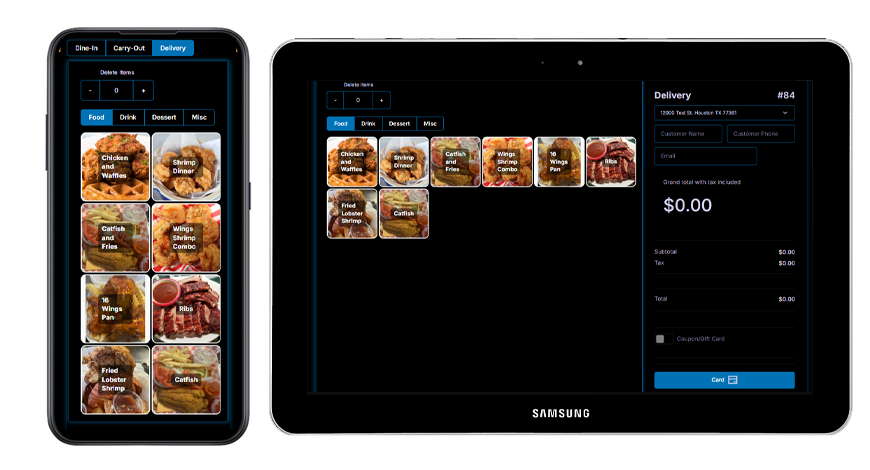
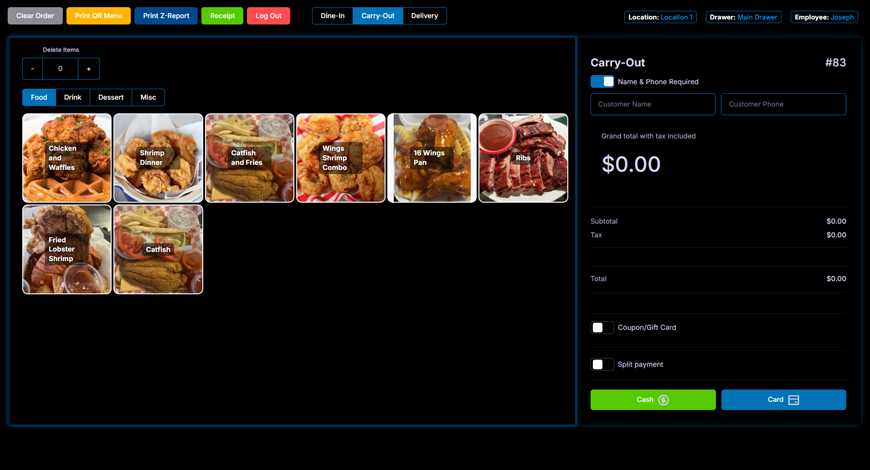
Seamlessly manage dine-in, takeout, delivery, and online orders from a single system. An intuitive interface helps staff get up to speed quickly, reduces errors, and speeds up checkout. Capture customer names and phone numbers at checkout to send automatic “order ready” texts and power future SMS marketing campaigns.

Menu

Menu

Menu System

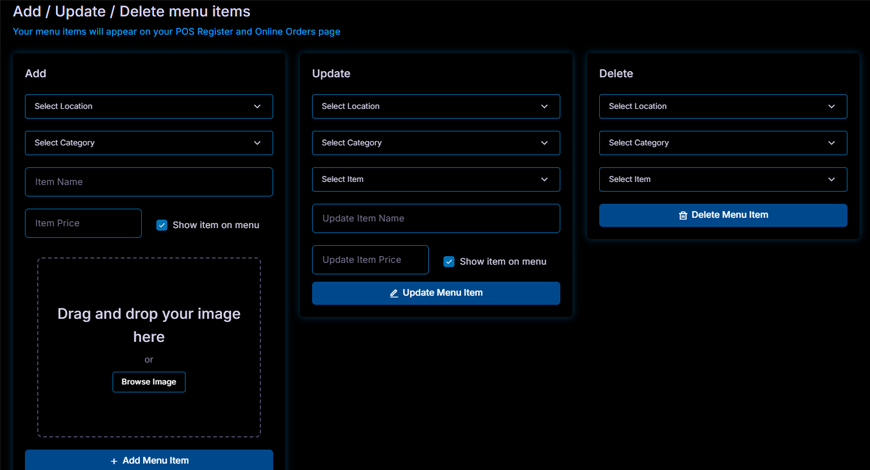
Easily add, update, or remove menu items across all your locations from one centralized dashboard. Changes can be made in seconds and instantly applied everywhere, ensuring your menus stay accurate and consistent. Whether you're introducing new dishes, updating prices, or removing items, the process is simple, fast, and requires no technical expertise.

Customer Display Screen

CDS

Customer Display Screen

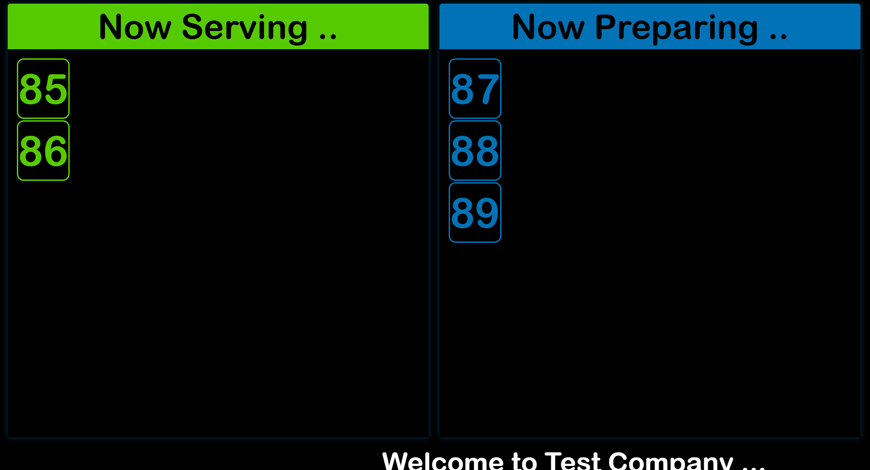
The customer display screen keeps guests informed with clear, real-time updates. Each order is shown by its number, appearing in a “Now Preparing” section as soon as the kitchen begins work. Once the order is ready, it automatically moves to the “Now Serving” section for easy pickup. A scrolling banner along the bottom continuously displays your business name, adding a polished, branded touch while keeping customers engaged.

Kitchen Display Screen

KDS

Kitchen Display Screen

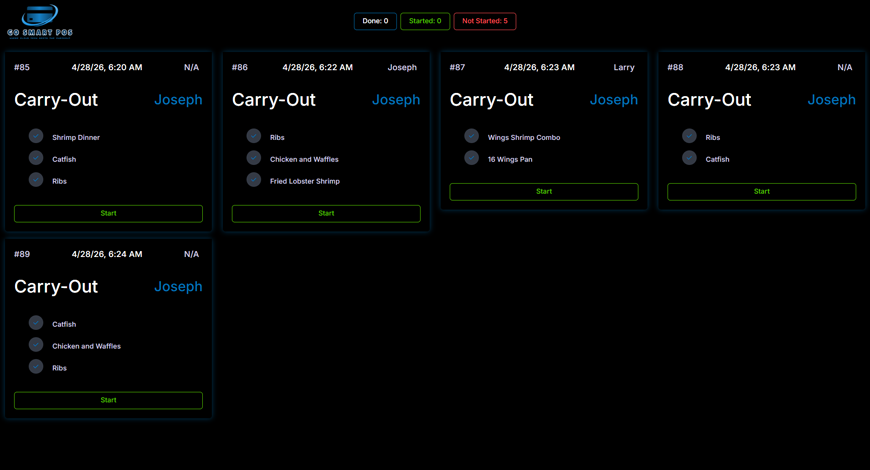
The kitchen display screen streamlines order management by automatically showing incoming orders from both the POS and online ordering system in real time. Staff can start and complete orders with a single tap, keeping workflow clear and efficient. When an order is marked complete, the system instantly sends a “ready for pickup” text to the customer—eliminating the need for separate pager devices and ensuring a faster, more seamless experience.

Online Order

ONLINE
ORDER

Online Order

Let guests order from anywhere with the built-in online ordering system. Whether on mobile or desktop, every order flows directly into your POS.

Reports

REPORTS

Reports

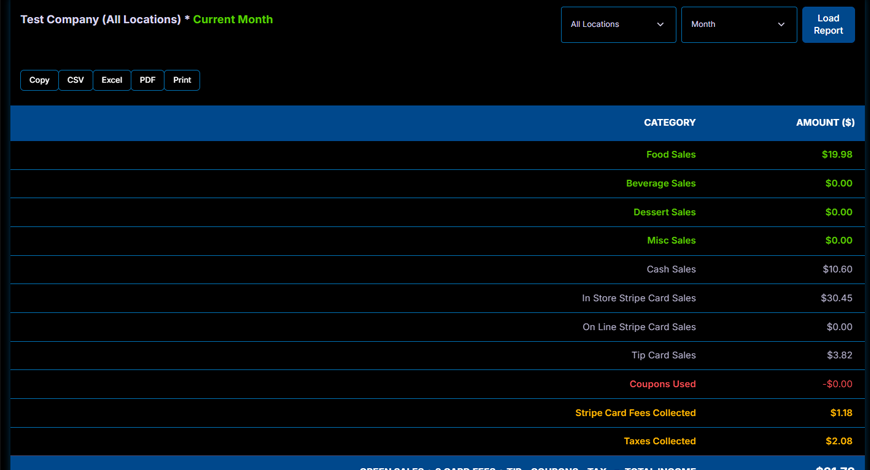
Real-time back office reporting gives you instant visibility into your business performance at every level. Automatically generated reports break down sales and profit by day, week, month, or year, with the flexibility to view results by individual location or across all locations combined. Clear, built-in profit calculations make it easy to understand exactly how your business is performing, while simple export options to CSV, Excel, or PDF let you share and analyze your data whenever you need.

Marketing

Marketing

Marketing

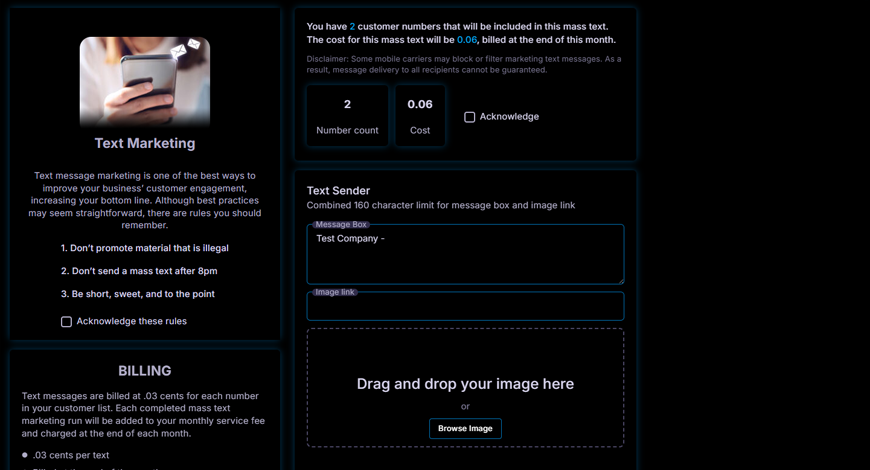
Text message marketing is one of the most effective ways for restaurants to drive repeat visits, increase engagement, and grow consistent revenue. Since you already collect customer names and phone numbers at the point of sale, why not take advantage of that data to boost sales? With Go Smart POS automated SMS marketing, you can instantly reach your guests, promote timely offers, and build lasting customer relationships—all from one easy-to-use platform.

Back Office

BACK
OFFICE

Back Office

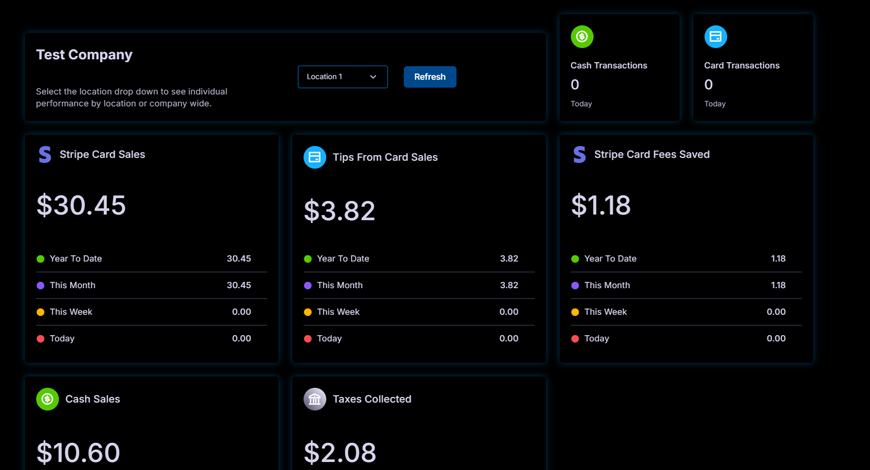
The back office dashboard provides a complete end-to-end view of your entire operation in one centralized place. Easily analyze performance year-to-date, by month, week, or day to understand trends and track growth over time. Key performance indicators are color-coded for quick, at-a-glance insights, making it simple to see how your business is performing without digging through data. You can also view each location individually or combine all locations to get a full, unified picture of progress.